
Resize your X header photo
Drop an image up to 15 MB and download a 1500x500 PNG for your X (formerly Twitter) profile.
The avatar clearance built into the layout, once
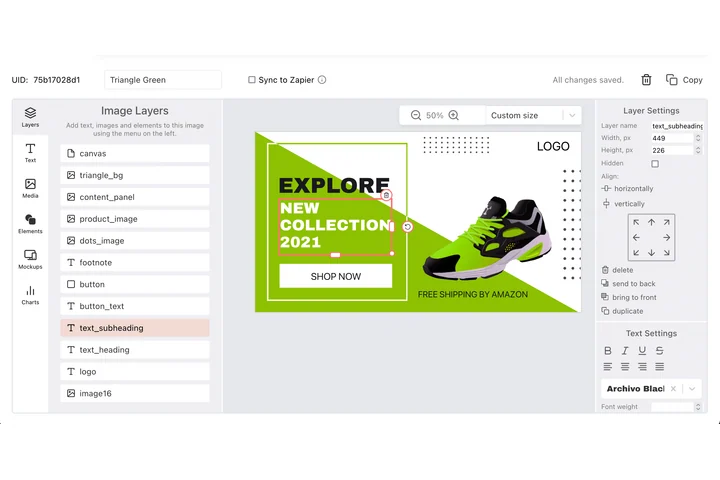
A profile header is furniture: the round avatar sits on top of it, the phone crop takes the edges, and it has to hold for months at a time. In DynaPictures each layer of the 1500x500 strip is pinned at an exact X and Y, with its own rotation and stacking order, so the space you left clear stays clear.
- Each layer pinned at exact X and Y
- Align to canvas across 1500x500
- Stacking order and rotation set per layer
How to resize an image for an X header
Pick the photo
A skyline, a team shot or a product scene with plenty of width. Up to 15 MB; a source at least 1500 px wide keeps the banner sharp.
Tick X header
Select the 1500x500 preset. If you also need the X post size (1600x900), tick it too and download both in one ZIP.
Set it as your header
Download the PNG, open Edit profile on X and upload it as the header photo. The file is available for 24 hours.
Why resize your X header here
Exact 1500x500 pixels
X's recommended header dimension and 3:1 ratio, so the profile editor takes the file without forcing a manual crop.
Under the 5 MB limit
X accepts header photos in JPG, PNG or GIF up to 5 MB. The exported PNG is far below that.
Avatar overlap handled
Your profile picture covers the lower left corner of the header. Face-aware cropping centers the subject so it is not hidden behind the circle.
Mobile and desktop safe
Phones show a slightly different slice of the header than a browser does. Keeping the subject central means both views work.
20 free headers a day
No account, no watermark. Test different photos or produce headers for several brand accounts in one go.
X header dimensions and safe area
X recommends a header photo of 1500x500 pixels, an aspect ratio of 3:1, uploaded as JPG, PNG or GIF under 5 MB. The image is displayed across the full width of the profile page on desktop and across the screen on the mobile app; depending on the device, a strip of roughly 60 px at the top and bottom can be cut off, and the round profile picture overlaps the bottom left corner on every device. Put logos, names and faces in the central area, at least 70 px away from the top and bottom edges and clear of the lower left quarter. This tool renders the 1500x500 canvas and shifts the crop so detected faces land in that safe zone.
Free usage
One image up to 15 MB per run, 20 runs per day, PNG download available for 24 hours.
Headers for many accounts
The daily limit counts per visitor and stays the same for everyone. Campaign and event headers built from a template through the API, Zapier, Make or a spreadsheet are part of DynaPictures.
Other X image sizes
Profile picture 400x400, in-feed image 1600x900 (16:9) and link card image 1200x628. The resizer also offers the 1600x900 post preset.
X and Twitter header size FAQ
1500x500 pixels, a 3:1 ratio. The Twitter header size did not change with the rename to X, so older guides quoting 1500x500 are still correct.