
Resize your image for a LinkedIn post
Add a JPG, PNG or WebP up to 15 MB and download a 1200x627 PNG sized for the LinkedIn feed.
A few recurring post formats, one layout each
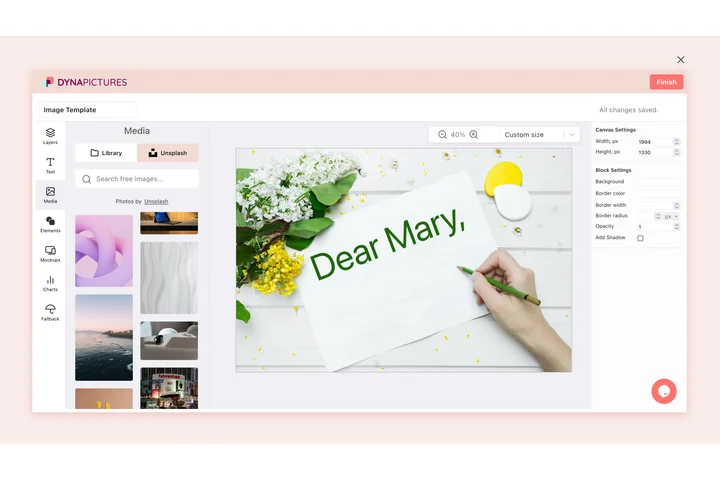
Most of what a company page publishes falls into a handful of recurring formats: a webinar, a new hire, a customer quote, an article that just went live. DynaPictures turns each format into an online form your colleagues fill in, and returns the 1200x627 image already set in the approved fonts and colours.
- An online form per post format
- 1200x627 exported as PNG or JPEG
- Your uploaded brand fonts, not lookalikes
How to resize an image for a LinkedIn post
Upload the graphic or photo
Screenshots, product photos, event visuals or a headshot, up to 15 MB. Landscape sources need the least cropping to reach 1.91:1.
Tick LinkedIn post
Select the 1200x627 preset. If the same visual goes on X or Facebook, tick those presets as well and receive one ZIP.
Attach it to your post
Download the PNG and add it as the image of your post or set it as the og:image of the page you are sharing. The download works for 24 hours.
Why this LinkedIn post image resizer
The 1.91:1 feed ratio
1200x627 is the size LinkedIn documents for shared images and link thumbnails, so the full picture is shown in the feed without trimming.
Headshots survive the crop
Announcing a new hire from a portrait photo? The crop is placed around the detected face instead of cutting the forehead off.
Small enough for LinkedIn
LinkedIn accepts post images up to 5 MB. A 1200x627 PNG stays comfortably under that limit.
Same image for link cards
The output doubles as an og:image, because LinkedIn's link preview uses the identical 1.91:1 ratio and a minimum width of 1200 px for the large card.
20 free posts a day
No login, no watermark, and 20 runs per day, enough for a month of weekly posts prepared in one afternoon.
LinkedIn post image dimensions
For a single landscape image in a LinkedIn post, and for the thumbnail of a shared link, LinkedIn recommends 1200 px by 627 px, a 1.91:1 ratio. The feed on desktop shows the image at the width of the post card, about 552 px, while the mobile app stretches it across the full screen width, so text should be at least 40 px tall on the 1200 px canvas to stay legible. Square (1200x1200) and portrait (1080x1350) images are also allowed in posts and take more vertical space, but link previews are always cropped to 1.91:1. The resizer fills the 1200x627 canvas and keeps detected faces inside the visible area.
Free limits
One image up to 15 MB per run, 20 runs per day and PNG output that is available for 24 hours.
Automation for content teams
The daily limit is per visitor and does not change for anyone. Post images built from a template and generated through the API, Zapier, Make or a CSV or Excel sheet are what DynaPictures itself does.
LinkedIn image rules
JPG, PNG or GIF, up to 5 MB per image, up to 20 images in a multi-image post; link previews need an og:image of at least 1200x627 for the large card.
LinkedIn post image size FAQ
1200x627 pixels (1.91:1) for landscape images and link thumbnails. LinkedIn also displays 1200x1200 squares and 1080x1350 portraits in posts, but this preset targets the landscape format.