
Resize your LinkedIn background photo
Drop a photo or a designed banner up to 15 MB and download a 1584x396 PNG for your LinkedIn profile.
A new 1584x396 banner on every profile the same day
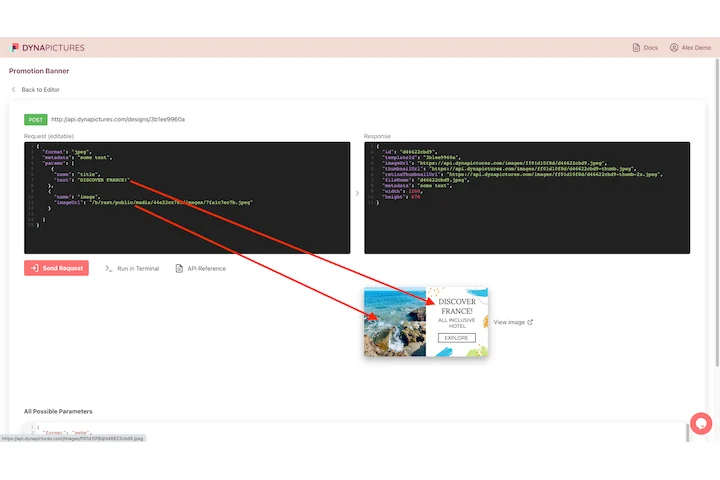
A profile banner is company property as much as personal decoration, so a rebrand, a funding round or a conference has to reach hundreds of profiles at once. DynaPictures takes that list over the REST API, renders each 1584x396 strip from one template and calls your webhook the moment the last one is done.
- One REST call per person, one banner
- Your webhook called as the run closes
- Long job titles auto-resize to fit
How to resize an image to LinkedIn banner size
Start with a wide source
A panorama, a team photo or a slide export works best. Portrait photos lose most of their height in a 4:1 crop, so give the tool something with width.
Tick LinkedIn banner
Choose the 1584x396 preset. Faces are located first and the strip is positioned across them; an image without people is cropped through the middle.
Upload to your profile
Save the PNG, open your profile, click the camera icon on the background and choose the file. The download link lasts 24 hours.
Why use this LinkedIn banner resizer
The recommended 1584x396
LinkedIn's own guideline for the personal background photo, so the upload dialog accepts it without asking you to drag a crop box.
Under the 8 MB limit
LinkedIn rejects background photos above 8 MB. A 1584x396 PNG from this tool is a fraction of that.
Faces kept visible
Face detection moves the 4:1 strip so heads are not sliced off at the top edge, a frequent problem when a 3:2 photo becomes a banner.
Room for the profile picture
Your round avatar covers the lower left of the banner on desktop. Keep text and logos in the right two thirds and the upper half so nothing sits behind it.
20 free banners a day
Try several photos or produce banners for a whole sales team in one session, with no watermark and no sign-up.
LinkedIn background photo dimensions
LinkedIn recommends 1584 px by 396 px for the background photo on a personal profile, a 4:1 aspect ratio, in JPG, PNG or GIF format and under 8 MB. On desktop the banner spans the full width of the profile card and the profile picture overlaps its bottom left corner; on the mobile app the banner is shown shorter and the sides are trimmed, so the safe zone is the central and upper area. Company Pages use a different cover size of 1512x256, which this preset does not target. The resizer scales your picture to fill 1584x396 and positions the strip so detected faces remain inside it.
Free usage
One image up to 15 MB per run, 20 runs per day, output as PNG. Results are removed after 24 hours.
Banners at scale
Results are kept for 24 hours and the daily cap counts per visitor, the same for everyone. Personalised banners with name, title and photo are a DynaPictures feature, generated via the API, Zapier, Make or a spreadsheet.
Safe zone tips
Keep logos and headlines at least 400 px from the left edge and 60 px from the top and bottom so the avatar and the mobile crop do not hide them.
LinkedIn banner size questions
1584x396 pixels, a 4:1 ratio, for the background photo on a personal profile. That is exactly what this preset produces.