
Resize your YouTube thumbnail
Upload a photo or exported frame up to 15 MB and download a 1280x720 PNG ready for YouTube Studio.
The face lands in frame at 1280x720, on every render
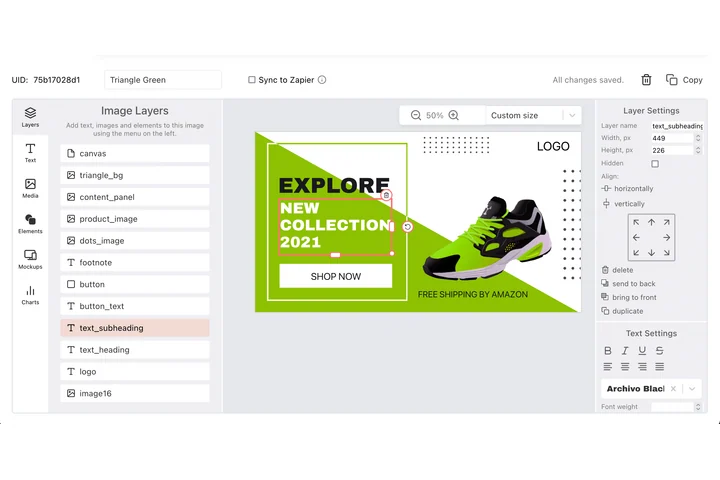
A thumbnail is the advertisement for the video, judged at postage-stamp size, where a face half cropped or off centre costs the click. DynaPictures offers face detection among its nine fit modes, so a frame grab lands correctly inside the 1280x720 slot, and a second template gives you a variant to test against.
- Face detection among nine fit modes
- Title text auto-resized inside 1280x720
- Two templates, an A/B pair per video
How to resize an image to YouTube thumbnail size
Upload a frame or photo
Grab a still from your video, a photo of the presenter or a rendered design. Anything up to 15 MB in JPG, PNG or WebP.
Tick YouTube thumbnail
Select the 1280x720 preset. The face is detected and centered in the 16:9 frame; a screenshot without people is cropped through the middle.
Upload in YouTube Studio
Download the PNG and set it as the custom thumbnail under Details. The download link is valid for 24 hours.
Why use this YouTube thumbnail resizer
1280x720 as YouTube recommends
The official size for custom thumbnails, 16:9, above the 640 px minimum width and the resolution used for the video player preview.
Under the 2 MB cap
YouTube rejects thumbnails over 2 MB. A 1280x720 PNG from a photo is typically well under 1.5 MB, and a flat graphic much less.
Faces stay large and central
Thumbnails with a clear expression get more clicks. Face detection keeps the presenter in frame when a wide or tall source is cropped to 16:9.
Duration badge considered
YouTube overlays the video length in the bottom right corner. A centered subject leaves that corner free.
20 thumbnails a day, free
Enough to A/B a few options per video without an account or watermark.
YouTube thumbnail requirements
YouTube asks for custom thumbnails of 1280x720 pixels, an aspect ratio of 16:9, at least 640 px wide and under 2 MB, in JPG, GIF or PNG. The same image appears in search results, the home feed, suggested videos, the watch page and embeds, from a full 1280 px preview down to about 168 px wide in a phone's suggestion list. Text should therefore be very large (a third of the height or more) and the subject should fill much of the frame. The duration label covers the bottom right corner and, on the watch page, a progress bar can run along the bottom edge. The resizer produces the exact 1280x720 canvas and keeps detected faces inside it, then exports a PNG.
Free limits
One upload up to 15 MB per run, 20 runs per day, PNG output kept for 24 hours.
Thumbnails from a template
The daily limit counts per visitor and is the same for everyone. Thumbnails with title text and a headshot come from a DynaPictures template, rendered through the API, Zapier, Make or a spreadsheet.
Account requirement on YouTube
Custom thumbnails need a verified YouTube channel (phone verification). Without it the platform only offers three auto-generated frames.
YouTube thumbnail size FAQ
1280x720 pixels, aspect ratio 16:9, minimum width 640 px, file size under 2 MB. This preset produces exactly 1280x720.