
Resize your image to Instagram story size
Drop a photo up to 15 MB. The tool returns a 1080x1920 PNG you can post as a story straight away.
Stories that render themselves when the data moves
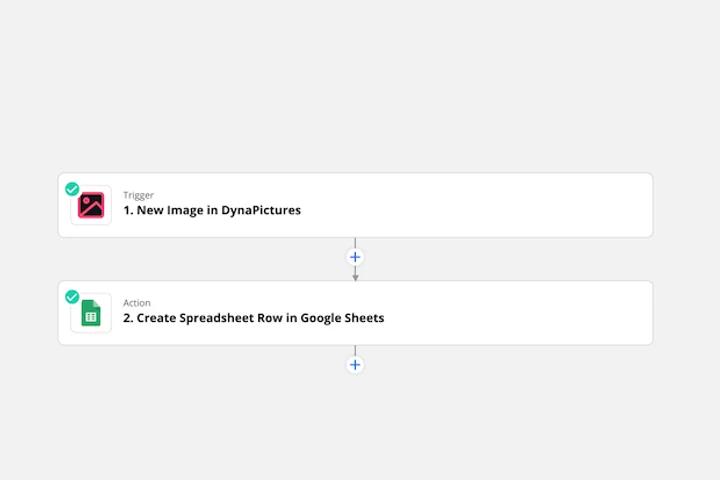
A story follows the day it is posted on: today's drop, today's price, tonight's episode, replaced by tomorrow's before anyone scrolls back. A Zapier step hands those values to DynaPictures, which fills your 1080x1920 template and passes the finished vertical image to the next action in the Zap.
- Zapier ready, plus Make and Pabbly
- Your 9:16 layout locked at 1080x1920
- Long text auto-resizes inside its frame
How to resize a photo for an Instagram story
Upload the picture
Landscape, square or portrait, up to 15 MB. Vertical source images need the least cropping; wide ones are reframed around the people in them.
Select Instagram story
Tick the 1080x1920 preset. You can add the Instagram post size or TikTok in the same run if you reuse the visual elsewhere.
Download and share
Save the PNG, AirDrop or message it to your phone and add it from the story camera. The link stays valid for 24 hours.
What this Instagram story resizer gets right
True 9:16 at 1080x1920
The exact full-screen story dimensions, so Instagram does not letterbox the image or zoom into it on upload.
Subject away from the overlays
Your profile name sits over the top 250 px and the reply field over the bottom 250 px. Face detection keeps people in the middle band where they stay visible.
Wide photos become vertical
A 16:9 event photo is scaled up and cropped to 9:16 with the crop window centered on the faces, not on empty background.
Works for Reels covers too
Reels use the same 1080x1920 canvas, so one export serves as story, Reel cover or a highlight.
20 stories a day, free
No account, no watermark and 20 runs per day, which covers a day of behind-the-scenes posting with room to spare.
Instagram story dimensions and safe area
An Instagram story is 1080 px wide and 1920 px tall, a 9:16 ratio that matches most phone screens. Instagram accepts photos with ratios from 1.91:1 to 9:16, but anything other than 9:16 is shown with a blurred or solid background around it. The app overlays your avatar, name and progress bars across the top and the reply field, share and like buttons across the bottom, so text and faces should sit roughly between 250 px and 1670 px from the top. The resizer covers the full 1080x1920 canvas and shifts the crop to keep detected faces inside that zone; if there are no faces the crop is centered.
Free tool limits
One image up to 15 MB per run, 20 runs per day, output as PNG. Download links are deleted 24 hours after creation.
Automated stories
The daily cap and the 24 hour file retention are the same for every visitor. For story images at volume, DynaPictures produces them from a spreadsheet, Zapier, Make or the API.
Instagram upload rules
Image stories accept JPG and PNG, display for a few seconds and disappear after 24 hours unless added to a highlight. Photos larger than 1080 px wide are recompressed.
Instagram story size FAQ
1080x1920 pixels, a 9:16 aspect ratio. That is the preset this tool applies and it fills a phone screen edge to edge.