
Resize your image for Pinterest
Drop a JPG, PNG or WebP up to 15 MB and download a 1000x1500 PNG ready to pin.
Several 1000x1500 pins per product, from one design
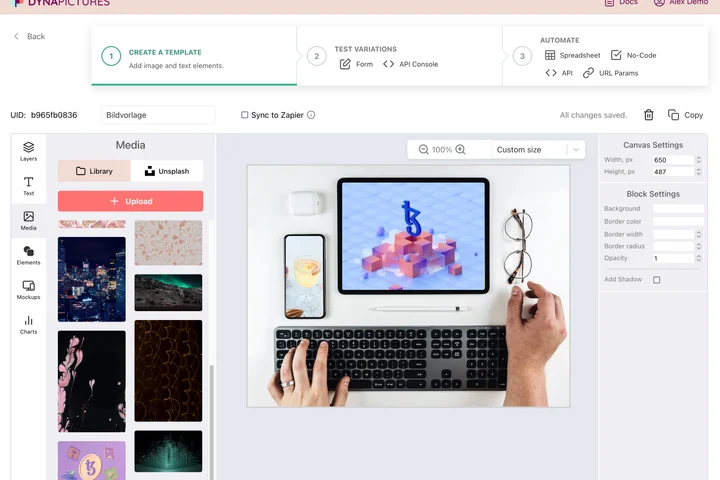
Pins work like small ads: the same product earns several of them, one per angle, price or season, and the feed keeps rewarding the newest. One DynaPictures template covers all of them and exports each 1000x1500 pin to WEBP, AVIF, JPEG or PNG, so the file stays small and the type stays sharp.
- 1000x1500 exported to WEBP, AVIF, JPEG or PNG
- One template, many variants per product
- Unsplash photography inside the editor
How to resize an image to Pinterest pin size
Upload the picture
A product photo, a recipe shot or a blog graphic, up to 15 MB. Tall sources need little cropping; wide ones are reframed around the subject.
Tick Pinterest pin
Select the 1000x1500 preset. The 2:3 window is positioned over detected faces, or centered when the image has none.
Pin it
Download the PNG and create a pin from it, adding title, description and link. The download stays available for 24 hours.
Why this Pinterest pin resizer
The 2:3 ratio Pinterest recommends
1000x1500 is the size Pinterest lists as optimal for standard pins. Taller pins get cut off in the home feed; wider ones look smaller.
Nothing truncated in the feed
Pinterest crops pins longer than 2:3 at the bottom when it shows them in the grid. Exporting at exactly 2:3 means the whole design is visible.
Subject stays visible
Faces are found before cropping, so a wide lifestyle photo turned into a tall pin still frames the person rather than the sofa.
Small file, large pixels
Pinterest allows image pins up to 20 MB. A 1000x1500 PNG is a small fraction of that and loads fast in the feed.
20 pins a day for free
Resize a full batch of product images without an account or watermark.
Pinterest pin dimensions explained
Pinterest recommends a 2:3 aspect ratio for standard pins, typically 1000 px wide by 1500 px tall, uploaded as JPG or PNG up to 20 MB. The home feed shows pins in a two-column mosaic on phones, so each pin is displayed about 180 px wide; text on the pin should be large and high-contrast to remain readable at that size. Pins taller than 2:3 (for example 1000x2100) are cut off at the bottom in the feed and only shown in full when opened. When someone hovers over a pin on desktop, a save button appears in the top right corner, so avoid placing a logo there. The resizer scales your image to fill 1000x1500 and shifts the crop so detected faces remain visible.
Free limits
One image up to 15 MB per run, 20 runs per day, PNG output kept for 24 hours.
Pins from a product feed
The daily cap counts per visitor and is identical for everyone. Pins carrying a title and a price come from a DynaPictures template, rendered from a spreadsheet, Zapier, Make or the API.
Other Pinterest sizes
Square pins 1000x1000 and long pins 1000x2100 are accepted but not recommended; Idea Pins use 1080x1920, the same size as the Instagram story and TikTok presets in this tool.
Pinterest pin size FAQ
1000x1500 pixels, a 2:3 aspect ratio. Pinterest names this as the optimal size for standard pins and it is the preset applied here.