
Resize your video
Drop a video up to 60 MB and 60 seconds, enter a width or choose a preset and download the MP4.
Type drawn at the size it will be read
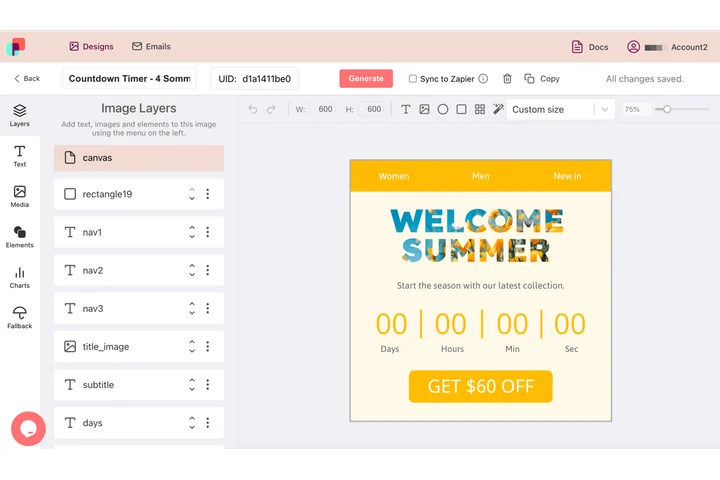
A caption is only as sharp as the moment it was drawn, and in a finished file that moment came before anyone knew where it would be shown. In DynaPictures the words stay a text layer until render time, so each output size is drawn at that size, in the font you chose, as its own animated GIF.
- Text stays a layer until render time
- Canvas width set per output
- The same design behind every size
How to resize a video online
Upload the video
Drag an MP4, MOV or WebM of up to 60 MB and 60 seconds into the box or click to select it.
Choose the size
Type a width in pixels (up to 1920) or pick a platform preset. The height follows automatically to keep the aspect ratio.
Download the MP4
Click Convert, wait a few seconds and save the MP4. The link stays active for 24 hours.
Why resize videos with this tool
Right size for each platform
Go to 1080 px wide for Instagram and TikTok, 1280 for a lighter web embed or 1920 for YouTube in one click.
Aspect ratio kept
Only the width is set; the height is computed, so a 16:9 clip stays 16:9 and a 9:16 clip stays vertical. Use the cropper to change the ratio.
Much smaller files
Scaling a 3840x2160 clip to 1920x1080 cuts the pixel count by 75% and the file usually by 60-70%.
Frame rate and sound untouched
The MP4 keeps the original fps, duration and audio track; only the pixel dimensions change.
Free, no signup
10 resizes per day per visitor, videos up to 60 MB, no watermark.
What happens to your video
Each frame is scaled to the new width with a high-quality resampling filter, the height is calculated from the original aspect ratio and both are rounded to even numbers as H.264 requires. The sequence is re-encoded as an H.264 MP4 at the source frame rate with the audio copied through. Widths above 1920 px are not offered, and enlarging a small video does not add detail, so the tool is meant for scaling down. Because bitrate scales with pixel count, a smaller video is also a much lighter file. WebM and MOV inputs come out as MP4. Clips must be 60 seconds or shorter.
Free limits
10 uses per day per visitor, MP4, MOV or WebM up to 60 MB and 60 seconds, width up to 1920 px, downloads kept for 24 hours.
Longer clips or automation
Resizing is metered per visitor, 10 videos a day for everyone alike. If channel sizes come up every week, DynaPictures renders each of them from your video templates through the API, Zapier or Make.
Privacy
Videos are processed on our servers and deleted together with the download link after 24 hours.
Frequently asked questions
Instagram displays feed videos at 1080 px wide (1080x1350 for 4:5, 1080x1080 for square) and Reels at 1080x1920. Set the width to 1080; if the ratio is wrong, crop first.