

Watermark your image
Drop a photo up to 15 MB, add text or a logo PNG up to 5 MB, and download the watermarked copy.
Your logo is a layer in the design, not a stamp
A mark on a picture is a design decision: where it sits, how large it reads and how much of the photo comes through it. In DynaPictures the logo lives in your media library and sits in the template as a layer with its own X, Y, size, rotation and opacity, one layer above the photo.
- Logo layer with opacity, rotation and z-order
- Your logos and photos in one media library
- The picture changes per render, the mark stays
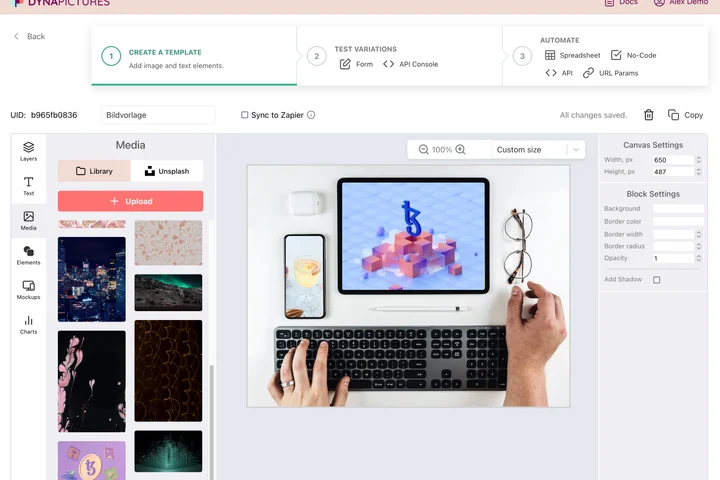
How to add a watermark to a photo
Upload the photo
Drag an image up to 15 MB into the box. The watermarked copy keeps the same format and pixel size as the original.
Add text or a logo
Type a name, URL or copyright line, or upload a logo PNG up to 5 MB; a transparent PNG gives the cleanest result. Set size, opacity and position.
Place or tile it, then download
Keep one mark in a corner or turn on repeat to cover the whole image with a pattern. Click Apply and save the file; the link stays active for 24 hours.
Why watermark with this tool
Text or logo
A text watermark needs no file at all; a PNG logo up to 5 MB keeps your brand mark exact, including its transparency.
Adjustable opacity
Set the mark to 20 or 30 percent so it protects the photo without hiding the product, or higher for previews that must not be reused.
Tile mode
Repeat the watermark across the whole image so it cannot be cropped out of a stock preview or a portfolio sample.
Same format out
A JPG comes back as JPG, a PNG as PNG with transparency intact, so the file drops straight into your shop or gallery.
Nothing to install
Runs in any browser on desktop or phone, 30 free watermarks per day, no signup.
Single mark or tiled pattern
A single watermark in a corner is the usual choice for finished photos on a website or social media: it credits you without distracting from the image. A tiled watermark repeats the text or logo over the entire picture and is the right choice for previews you send to clients before payment, or for stock and print samples, because it cannot be removed with a simple crop. Opacity, size and position apply to both modes. The mark is rendered on the server and blended with the pixels underneath, so a low opacity leaves the photo fully readable.
Free limits
30 watermarked images per day per visitor, photos up to 15 MB, logo PNG up to 5 MB, downloads available for 24 hours.
Whole folders at once
Watermarking here is metered per visitor, 30 images a day for everyone alike. For regular runs, DynaPictures builds the logo into the template and renders in bulk via API, Zapier, Make or a spreadsheet.
Privacy
Uploaded photos and logos are processed in memory and deleted together with the download link after 24 hours.
Frequently asked questions
Yes. Upload it as a PNG up to 5 MB. A PNG with a transparent background blends into the photo; a white or colored box around the logo would stay visible.