
Put text on your GIF
Drop a GIF up to 30 MB, type the caption, style it and download the captioned GIF.
The caption is a field, not a manual pass
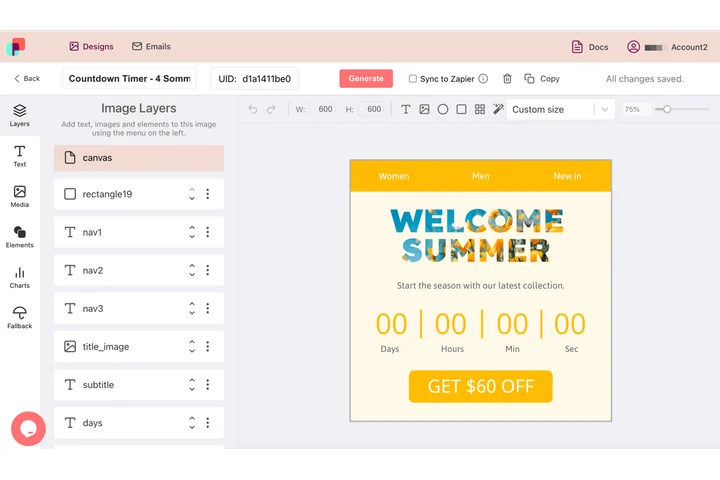
A caption that names the customer, the plan or the city is a different line on every send, while the animation under it never changes. In DynaPictures that line arrives as a named parameter on a text layer, so one template gives you an animated GIF per row, set in your own font.
- Caption arrives as a named parameter
- Text auto-resizes to fit the box you drew
- One finished GIF per row of data
How to add text to a GIF
Upload the GIF
Drag an animated GIF of up to 30 MB into the box or click to pick one from your computer.
Type and style the caption
Enter the text, choose a font, set size and color, add an outline for readability on busy backgrounds and pick where the text sits.
Download
Click Add text and save the new GIF. The caption is burned into every frame; the download link stays active for 24 hours.
Why caption GIFs with this tool
Text on every frame
The caption is drawn onto each of the GIF's frames, so it never flickers or disappears mid-loop.
Readable on any background
An outline in a contrasting color keeps white or yellow text legible over photos and fast motion.
Animation untouched
Frame count, delays and the loop setting are copied from the original; only the pixels under the text change.
Meme and reaction ready
Classic top or bottom captions for chats, Slack, social posts and email GIFs, no design software needed.
Free, no signup
20 captioned GIFs per day per visitor, files up to 30 MB, no watermark.
What happens to your GIF
The tool decodes every frame of the GIF, renders your text with the chosen font, size, color and outline at the selected position, and re-encodes the frames as a GIF with the original delays and loop count. Because GIF is limited to 256 colors per frame, the text color is fitted into each frame's palette; solid colors with an outline survive this best. Static text compresses well across frames, so the file usually grows only slightly. Transparent GIFs keep their transparency outside the text.
Free limits
20 uses per day per visitor, GIFs up to 30 MB, downloads kept for 24 hours.
Bulk captions or automation
Captioning is metered per visitor, 20 GIFs a day for everyone alike. If captions arrive in batches, DynaPictures writes them onto images and video from your own templates through the API, Zapier or Make.
Privacy
Uploaded GIFs are processed on our servers and deleted together with the download link after 24 hours.
Frequently asked questions
Yes. The caption is rendered onto each frame, so it stays visible for the whole loop rather than only on the first frame.