
Make your badge
Fill in label, message and color, choose a style, preview the SVG and copy the URL, Markdown or HTML snippet.
The live value idea, applied to a design you control
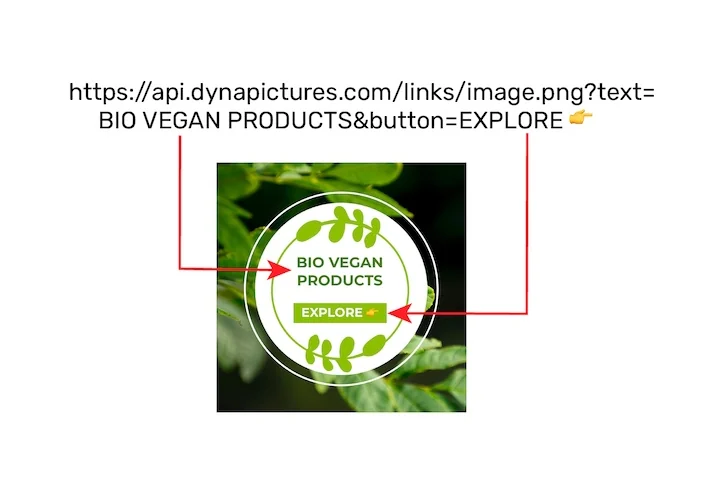
A badge is a fact kept current in public: the version, the build state, the coverage number, next to a project name. In DynaPictures that same live value sits inside your own design: the release card goes out as an image URL, the version and status arrive as parameters, and the type and logo stay where you set them.
- Named parameters where the label text was
- Your uploaded fonts, or 1,000+ from Google
- Logo and colors anchored in the design
How to create a custom badge
Enter label and message
The left part is the label, for example build, and the right part the message, for example passing. Add optional logo text.
Pick color and style
Choose a named color such as brightgreen or a hex value, then a style: flat, flat-square or plastic. The preview updates instantly.
Copy the snippet
Copy the SVG URL, the Markdown for GitHub or the HTML img tag and paste it into your README, wiki or docs page.
Why use this badge maker
Readable URL scheme
The badge is encoded in the path, build-passing-brightgreen.svg, so you can write new badges without opening the tool.
Permanent static badges
Static badge URLs never expire and have no view cap, safe for READMEs that live for years.
Three styles
Flat, flat-square and plastic match the look of the badges already in most repositories.
Dynamic values
Point a badge at a public JSON URL and it shows a live value, refreshed every 5 minutes.
Markdown and HTML ready
Copy the exact snippet for GitHub, GitLab, docs sites or HTML pages, no manual escaping.
Static and dynamic badges explained
A static badge is fully described by its URL: label, message, color and style are part of the path or query, and the SVG is served with no expiry and no view cap. A dynamic badge instead takes the URL of a public JSON document and a key to read, fetches the value every 5 minutes and renders it as the message, which suits version numbers, test counts or download totals. Each dynamic badge serves 100 opens a day, 1,000 in total and 30 days, the same for every visitor: past a day's 100 it turns into a grey daily limit badge until midnight UTC, and after the total or the 30 days it shows a small upgrade notice. The DynaPictures platform is where you generate badges, charts and other images from your own templates through the API, Zapier or Make.
Limits
Static badges: permanent, no view cap. Dynamic badges: value refreshed every 5 minutes, 100 opens a day, 1,000 in total, 30 days.
Beyond badges
The DynaPictures platform renders full images from your own designs, with your fonts and logo, via API, Zapier or Make.
Colors
Use named colors like brightgreen, green, yellow, orange, red, blue and lightgrey, or any 6 digit hex value.
Frequently asked questions
Copy the Markdown snippet the tool shows, for example an image link to build-passing-brightgreen.svg, and paste it at the top of README.md. GitHub renders the SVG inline.