
Convert inches or cm to pixels
Enter a width and height, choose the unit and DPI, or pick a print size like A4, letter, 4x6 or business card.
A size worked out once becomes a template
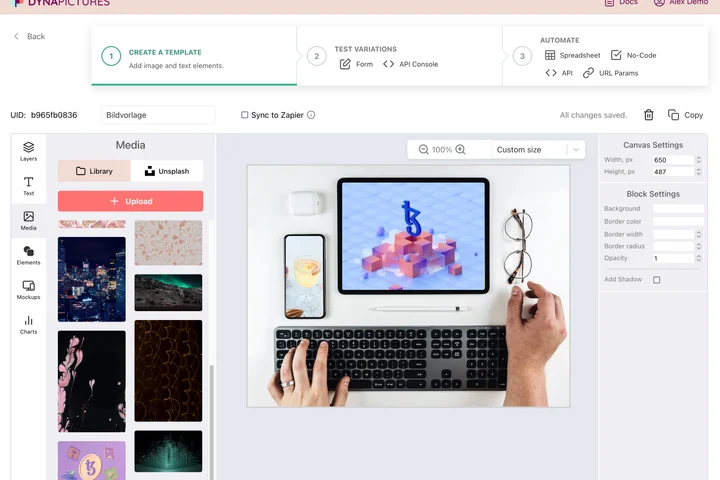
Dimensions are the quiet infrastructure of a brand: a business card at 300 DPI, an A4 sheet, a 1080x1920 story, each a number someone looks up before the work starts. DynaPictures keeps a gallery of templates instead, each built on its own canvas, with your fonts and pictures in the library beside them.
- Unlimited templates, each on its own canvas
- Your own uploaded fonts beside 1,000+ Google Fonts
- Unsplash pictures in the same library
How to convert inches to pixels
Enter the physical size
Type width and height and choose inches, centimeters or millimeters, or pick a preset: A4, US letter, 4x6 photo or a 3.5x2 inch business card.
Choose the DPI
Use 300 DPI for print, 150 for large posters, 96 for Windows screens or 72 for classic web graphics. Any custom value works too.
Read the pixel size
The result updates as you type. Switch the direction to convert pixels back to inches, cm or mm, then copy the numbers into your editor.
Why use this pixel calculator
Print presets built in
A4 at 300 DPI is 2480x3508 px, US letter is 2550x3300 px, a 4x6 photo is 1200x1800 px. One click gives you the exact numbers.
Three units, both directions
Inches, centimeters and millimeters to pixels, and pixels back to any of them, so cm to pixels is the same tool.
Any DPI value
The 72, 96, 150 and 300 presets cover screens and print, and a free field accepts 200, 240, 600 or whatever your printer asks for.
No upload, no limit
The math runs in your browser, so nothing leaves your computer and there is no daily cap on conversions.
How inches become pixels
Pixels equal inches multiplied by DPI, so an 8x10 inch print at 300 DPI needs 2400x3000 pixels. For centimeters the calculator divides by 2.54 first: 21 cm at 300 DPI is 2480 px. The reverse formula, pixels divided by DPI, tells you how large an existing image can print: a 1920x1080 screenshot is only 6.4x3.6 inches at 300 DPI, which is why screen images look soft on paper. Screens ignore DPI and show one image pixel per device pixel (or two on high-density displays), so use the physical size only for print work.
Free limits
None to speak of: the calculator runs entirely in your browser, works offline once loaded and has no daily cap.
From numbers to print-ready files
DynaPictures renders images at exactly these pixel sizes from a template, one at a time or in bulk via API, Zapier, Make or a spreadsheet.
Privacy
Nothing is sent to a server. The values you type stay on your device.
Frequently asked questions
It depends on the DPI: 72 pixels at 72 DPI, 96 at 96 DPI and 300 at 300 DPI. There is no fixed answer without a DPI value, which is why the calculator asks for one.