
Create your Instagram post
Pick a layout and a size, type your headline and text, add a photo and a logo (up to 5 MB each) and download the PNG.
Your post template, filled from the content calendar
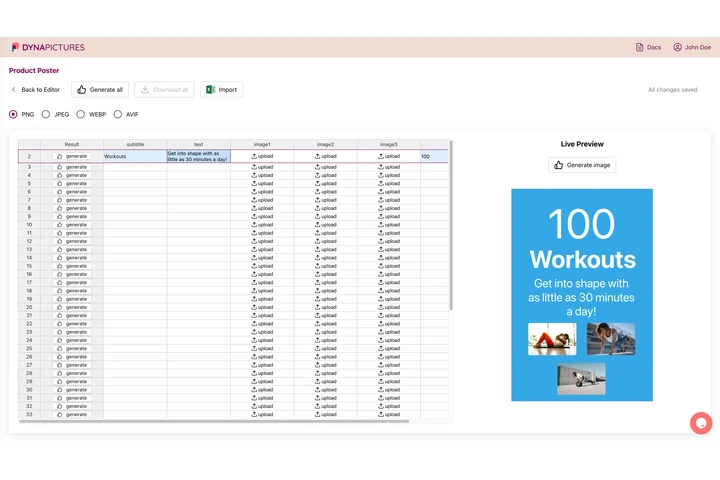
A brand's feed is a series: the same layout, colors and logo, with a new headline, photo and offer every few days. In DynaPictures you design that post once, and each row of a spreadsheet becomes a finished post, with the headline, the photo and the badge as fields.
- Headline, photo and badge as template fields
- One spreadsheet row for every post
- Each file named after a column you choose
How to create an Instagram post
Choose a layout and a size
Start from an announcement, a tip or quote, a product or sale, an event, a testimonial or a carousel cover, then pick portrait 1080x1350, square 1080x1080 or story 1080x1920. Each layout opens with a sample post you simply overwrite.
Write it and add your photo
Type the headline, the supporting text, an optional badge such as New or -30% and your @handle. Upload a photo to sit behind the text or in a frame, plus your logo, as PNG, JPG or WebP up to 5 MB.
Download and post
Generate the PNG, check it in the preview and upload it in the Instagram app or your scheduling tool. The download stays available for 24 hours.
Why make your Instagram posts here
Six kinds of post in one tool
Announcements, tips and quotes, product and sale posts, event invitations, customer reviews and carousel covers, each with its own layout and its own sample text to start from.
Sized for the feed and for stories
Portrait 1080x1350 takes the most room in the feed, square 1080x1080 suits product grids, and stories at 1080x1920 keep the words clear of the bars the app lays over the top and the bottom.
Long headlines still fit
Every line is sized to its box before rendering: a long headline gets smaller instead of breaking in the middle of a word, so a German or Polish post looks as tidy as a short English one.
Your photo, your logo, your colors
Put the photo behind the text, where a fade into your background color keeps the words readable, or set it in a frame. Add your logo and choose the background, accent and text colors.
Free, 20 posts a day
No login and no watermark. Every visitor can download 20 posts a day, the same allowance for everyone, reset at midnight UTC.
What makes an Instagram post work
Instagram shows feed posts 1080 px wide. A portrait post at 1080x1350 (4:5) fills the most of a phone screen, a square at 1080x1080 suits shop grids, and a story at 1080x1920 (9:16) loses about 250 px at the top and the bottom to the app's own controls. Keep the headline to a few words that read at thumbnail size, put the details into the supporting text and save the badge for the one thing that has to stand out, such as a price, a date or New. Two or three colors from your brand, used on every post, make a profile grid look like one account. The generator does the layout, so the only decision left is what to say.
Free limits
20 downloads per day per visitor, the same for everyone and reset at midnight UTC. One post per render, and every download stays available for 24 hours.
Privacy
Photos and logos you upload are kept for 24 hours so the post can be rendered and downloaded, then deleted.
You post it yourself
The generator makes the image and stops there: it never connects to your Instagram account, and you upload the PNG yourself.
Frequently asked questions
Portrait 1080x1350 (4:5) takes the most space in the feed, square 1080x1080 (1:1) is the classic format and a story is 1080x1920 (9:16). The generator renders all three at full resolution.