
Check your image DPI
Drop a JPG, PNG, TIFF or WebP up to 15 MB to read its DPI and print size. Optionally enter a new DPI and download.
Print size is a property of your template
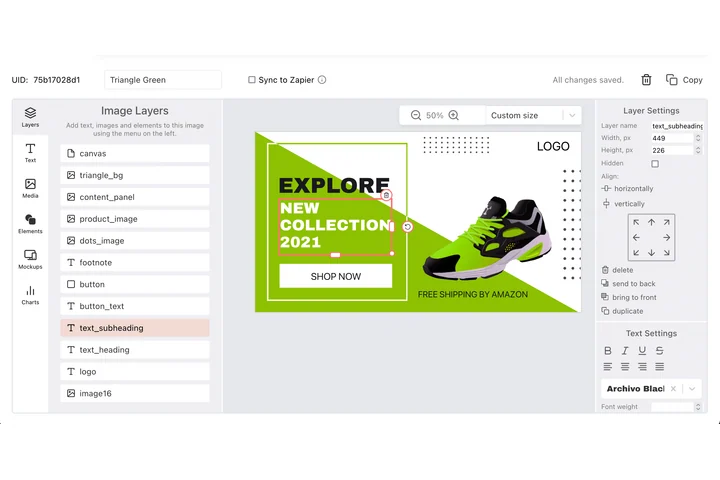
Anything that ends up on paper is built to a physical size first, a 4x6 card, an A6 label, an A4 sheet, with the pixel dimensions chosen to match it. In DynaPictures the canvas is fixed at those dimensions and every layer sits at its own X, Y, width, height and rotation, then the design exports as PDF or PNG.
- A canvas fixed at your print dimensions
- PDF, PPTX, PNG, JPEG, WEBP and AVIF output
- Each layer given X, Y, width, height
How to check and change image DPI online
Upload the image
Drag a file into the box or click to choose it. JPG, PNG, TIFF and WebP up to 15 MB are read in a second.
Read the report
You see the width and height in pixels, the DPI stored in the metadata and a table with the print size in inches and cm at 72, 150 and 300 DPI.
Set a new DPI and download
Type a value such as 300, click Change DPI and save the file. Only the metadata changes, every pixel stays exactly as it was.
Why check DPI with this tool
Print size in real units
A 3000x2000 px photo prints at 10x6.67 inches (25.4x16.9 cm) at 300 DPI. The table shows that for 72, 150 and 300 DPI so you know before you order.
Fix rejected uploads
Print shops, publishers and journals often demand 300 DPI in the file header. Set it here in seconds instead of opening Photoshop.
Pixels untouched
Changing DPI rewrites one metadata field. Nothing is resampled or recompressed, so quality is identical to the upload.
Nothing to install
Works in any browser on desktop or phone with 30 free checks per day and no signup.
What DPI is and what this checker reads
DPI (dots per inch, also stored as PPI) is a number in the file's metadata that tells printers how many pixels to place per inch of paper. It does not change how many pixels the image has. A 1200x800 px image at 72 DPI and the same image at 300 DPI contain identical pixels; they simply print at 16.7 inches or 4 inches wide. The checker reads the JFIF, EXIF or PNG pHYs resolution field, reports it, and lets you overwrite it. If the file has no DPI field at all, most software assumes 72 or 96, and the report says so.
Free limits
30 checks per day per visitor, images up to 15 MB, downloads of the changed file available for 24 hours.
Batch DPI changes and automation
DPI checks are metered per visitor, 30 a day for everyone alike. If print files come up often, DynaPictures renders them from your templates at a fixed size through the API, Zapier or Make.
Privacy
Uploads are processed in memory and deleted together with the download link after 24 hours.
Frequently asked questions
Upload it here. The report shows the DPI value stored in the file's metadata next to the pixel dimensions. If no value is stored, the tool tells you and shows the print sizes for 72, 150 and 300 DPI anyway.