
What Social Media Automation Covers
A social post is three jobs: someone makes the picture, someone writes the words, and something publishes it at the right time and reports what happened. Automation tools take over one or more of those jobs, and the names on comparison lists mix them freely.
Publishing and scheduling
Queues, posting times, approvals, a shared calendar and reports per network. This is what most people mean by social media automation.
Making the visuals
Product posts, quote cards, carousel slides, event speaker cards and weekly stats graphics, in the size each network wants. This is where the hours go once posting is scheduled.
Moving data between apps
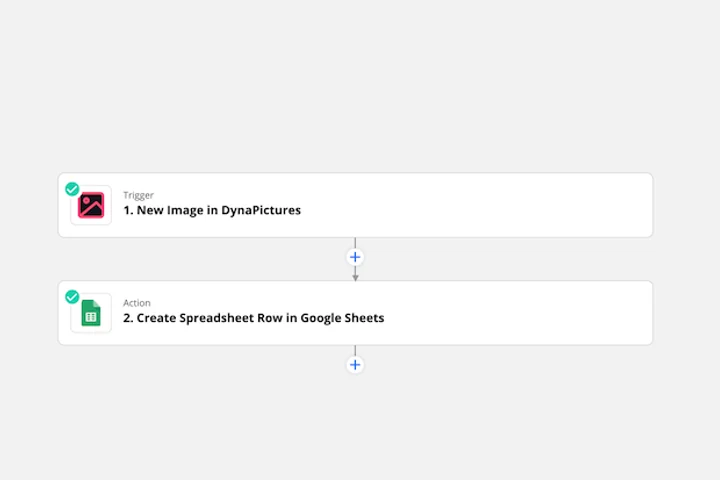
A new product, a new blog post or a new row in a sheet starts the chain, and something has to carry the data from one tool to the next.
Writing and deciding
Captions, variants and hashtags, and more and more an AI assistant that calls the other tools for you.
The Four Kinds of Social Media Automation Tools
What each kind takes off your plate, typical examples, and the part it leaves to another tool.
| Kind of tool | What it automates | Typical tools | What it leaves to others |
|---|---|---|---|
| Schedulers and publishers | queues, posting times, approvals, analytics | Buffer, Hootsuite, Later, Sprout Social | making the images and videos |
| Workflow automation | carrying data between apps when something happens | Zapier, Make, n8n, Pabbly | the design and the posting rules |
| Creative automation | images, carousels, PDFs and video from templates and data | DynaPictures, Bannerbear, Placid, Orshot, Templated | scheduling; most do not post, Orshot does as an add-on |
| AI assistants and agents | captions, ideas, and calling other tools over MCP | ChatGPT, Claude | on-brand visuals and reliable publishing |
Examples are well-known products in each kind, not a ranking. Creative automation facts as read on the vendors' websites on 12 November 2026.
Schedulers: Publishing and Reporting
A scheduler holds the queue. You connect your accounts once, drop posts into a calendar, and it publishes them at the times you set, with approvals for teams and reports per network.
What it does well
Timing, consistency and a single place to see what goes out where. For a team that posts every day, this is the first tool to buy.
What it leaves to you
The picture. A scheduler publishes what you give it; somebody still makes fifteen banner sizes, the product promo graphics and the carousel slides.
Creative Automation: The Images Behind the Posts
Creative automation turns a template and a row of data into a finished image. You design the post once with fixed brand elements and named layers, then every new product, quote, speaker or weekly number fills those layers and renders a new image in the right size.
Posts that follow a pattern
A product post from every new item in a feed, a quote card from every testimonial, a speaker card for every name on the programme, a stats graphic every Monday.
Every size from one design
The same data renders the square post, the story and the LinkedIn banner, so a campaign does not mean resizing by hand.
What to compare
Output formats, how the data gets in (API, spreadsheet, no-code apps, AI assistants), AI image generation, and whether you need video or posting in the same tool. The comparisons linked below go through each vendor row by row.
Where DynaPictures Fits
DynaPictures is a creative automation tool. You design a template once and generate posts from a spreadsheet, the REST API, URL parameters, a form, the Zapier, Pabbly and Integrately apps, Make through its HTTP module, or an AI assistant over its MCP server. It renders PNG, JPEG, WebP, AVIF, GIF, PDF and PowerPoint, with 12 AI image models for backgrounds and product scenes. It does not schedule or publish: you hand the image to your scheduler, usually in the same Zap.
A carousel from one template
A multi-page template renders every slide of a LinkedIn carousel into one PDF, filled from your data.
Speaker and attendee posts for an event
The event marketing module gives every speaker, sponsor and attendee a personal banner and a share page, then attributes registrations to each share. Its free tier covers 1 campaign and 10 people.
Images from a link
An image link built from URL parameters renders when it is first requested, so a no-code tool or a CMS can create an image just by building a URL.
A Setup That Works for Most Teams
- List the posts that repeat. Weekly formats, product posts and event posts are the ones worth a template.
- Design one template per post type, in every size the networks need, with the brand elements locked.
- Connect the data source: a spreadsheet, your shop, your CMS or a form, through the API or a no-code app.
- Hand the image to the scheduler in the same automation, with the caption the data already holds.
- Keep replies human. Automate the posts that follow a pattern; answer comments and messages yourself.
Free Tools and Pages for Social Media Visuals
Frequently Asked Questions
Software that takes over a repeating part of social media work: publishing on a schedule, making the images from templates, moving data between apps, or writing drafts. Most teams combine a scheduler with one of the others.