
Convert JPG images to a PDF
Add up to 20 images (15 MB each, 50 MB together), drag them into page order, choose the page and click Convert to PDF.
A PDF for every spreadsheet row, photos placed in your layout
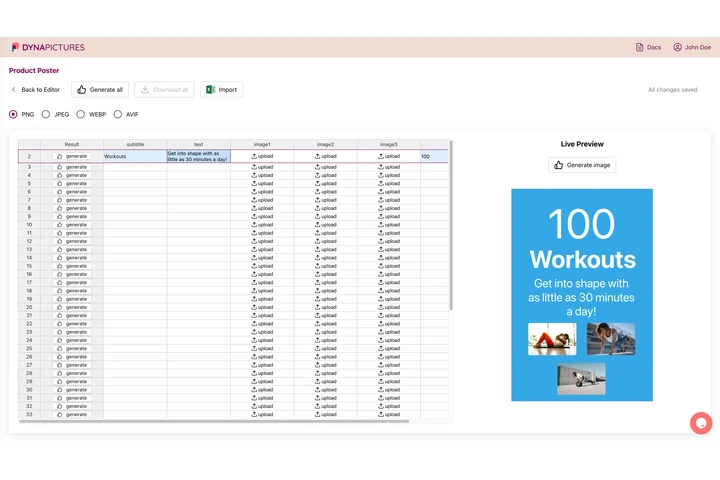
Photos end up in a PDF because someone needs a document: a product sheet, a property flyer, an inspection report, and tomorrow brings another one. In DynaPictures you design that document once as a multi-page template, import a CSV or Excel sheet with the photos and texts, and generate one PDF per row.
- Image columns uploaded or linked per row
- Multi-page templates rendered to PDF
- Each file named from a column
JPG to PDF at a glance
- Price: free, no login, no watermark
- Daily limit: 20 PDFs per visitor, reset at midnight UTC
- Upload: up to 20 images per PDF: JPG, PNG, WebP or HEIC, 15 MB each and 50 MB together
- Pages: one page per image, in the order you set, each image scaled to fit and centred
- Paper: A4, US Letter or the size of each image; orientation automatic, portrait or landscape; margin none, 10 mm or 20 mm
- Quality: JPGs go in without a second compression and the right way up; PNGs stay lossless
- Storage: uploads are deleted right away, the PDF after 24 hours
How to convert JPG to PDF
Add your images
Drop JPG, PNG, WebP or HEIC files into the box or click to pick them. Up to 20 images per PDF, added at once or in several goes.
Set the order and the page
Drag the tiles or use their arrows to put the pages in order, then choose A4, US Letter or the image size, the orientation and a margin.
Convert and download
Click Convert to PDF, check page 1 in the preview and download one PDF with a page per image. The link works for 24 hours.
Why convert JPG to PDF here
No second compression
Your JPGs are written into the PDF byte for byte, so every photo keeps exactly the quality it had, with no new compression artifacts.
Phone photos the right way up
The rotation a phone stores with a photo is applied when the page is drawn, so portrait shots stand upright and get a portrait page.
Up to 20 pages in one file
Combine receipts, scanned pages or a photo series into a single PDF and set the order by dragging before anything is uploaded.
Pages that fit
A4 and US Letter pages hold each image scaled to fit inside the margin and centred; the image's own size with no margin gives a PDF without borders.
iPhone HEIC included
HEIC photos are decoded on our servers and sit next to JPG, PNG and WebP images in the same PDF, with no extra conversion step.
What happens to your images
Each image becomes one page. A JPG is embedded exactly as it is, with its color profile, and the rotation stored by the camera is applied when the page is drawn. PNGs keep their pixels losslessly, transparency included, while WebP and HEIC photos are stored as high-quality JPEG pages. On A4 or US Letter the image is scaled to fill the space inside the margin and centred, and with automatic orientation a landscape photo gets a landscape page. Same as the image makes every page exactly its picture, at the DPI stored in the file or one point per pixel.
Free limits
20 PDFs per day per visitor, up to 20 images of 15 MB each and 50 MB together, PDFs kept for 24 hours.
Documents from data
The daily limit is the same for everyone. When the same document is made again and again, DynaPictures fills a PDF template from a spreadsheet, the API or Zapier.
Privacy
Your uploads are deleted as soon as the PDF is made; the PDF and its link are deleted after 24 hours.
JPG to PDF questions
Yes. It is free with no login and no watermark: 20 PDFs a day per visitor, reset at midnight UTC, each from up to 20 images of 15 MB (50 MB together). The PDF is kept for 24 hours.