
Convert your HTML to a PDF
Paste up to 100 KB of HTML and CSS, choose the page, then click Convert to PDF. The preview shows page 1 as your browser draws it.
A PDF from every JSON request, in a layout you design once
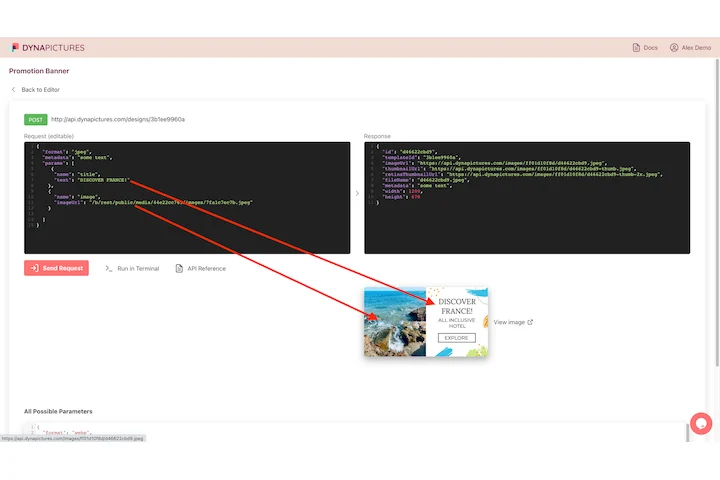
HTML gets printed to PDF because a quote, a ticket or a report has to go out as a document, usually in the same layout every time. The DynaPictures PDF API keeps that layout as a template from the editor, fills it from JSON on each request and returns a PDF whose pages are rendered images.
- Single-page and multi-page PDF templates
- JSON in, a link to the PDF back
- CSV import, Zapier, Pabbly or Integrately
HTML to PDF at a glance
- Price: free, no login, no watermark
- Daily limit: 20 PDFs per visitor, reset at midnight UTC
- Input: HTML and CSS up to 100 KB together, or a full HTML document; JavaScript does not run
- Page: A4 or US Letter, portrait or landscape, no margin, 10 mm or 20 mm, backgrounds printed or not
- Length: up to 20 pages; a longer document stops after page 20
- Text: real text printed by headless Chrome: select, copy and search it, links stay clickable
- Fonts and images: Google Fonts load; other outside images and stylesheets are blocked, so embed images as data URLs
- Storage: the PDF is kept for 24 hours, then deleted
How to convert HTML to PDF
Paste HTML and CSS
Put a fragment or a whole HTML document into the HTML box and your styles into the CSS box. Up to 100 KB in total; Google Fonts links work.
Choose the page
Pick A4 or US Letter, portrait or landscape, a margin of 0, 10 or 20 mm, and whether background colors and images print. The preview follows every change.
Convert and download
Click Convert to PDF and save the file. It is ready in a few seconds, and the download link stays live for 24 hours.
Why convert HTML to PDF here
Real text, not a screenshot
Chrome's print engine writes your text into the PDF with its fonts, so it can be selected, copied and searched, and links stay clickable.
Print CSS that works
Page breaks set with break-before or break-after, print media queries and background colors are honoured, because a real browser lays out the page.
A4 and US Letter
Both paper sizes in portrait or landscape, with three margin settings, so the PDF prints at the size your office or client expects.
Locked down for safety
JavaScript is off and only Google Fonts may load from outside. No other address, public or private, is ever contacted while your page prints.
No software, no account
It runs on our servers and works in any browser. Free, no login, and nothing is added to your pages.
How the HTML to PDF conversion works
The tool loads your HTML in a sandboxed headless Chrome with JavaScript switched off, waits for Google Fonts and prints the page with Chrome's own PDF engine at the paper size and margin you chose. That is why the PDF keeps live text, links and vector shapes instead of a flat picture of the page. A fragment is placed on a blank page without the default body margin; a full document is printed as it is, with the CSS box applied last. Nothing else may load from outside, so images belong in the HTML as data URLs.
Free limits
20 PDFs per day per visitor, up to 100 KB of HTML and CSS and 20 pages per PDF, files kept for 24 hours.
Documents from data
The daily limit is the same for everyone. For documents generated from data, DynaPictures fills a template designed in its editor through the PDF API, a CSV import or Zapier.
Privacy
Your HTML is used for this one conversion and is not stored; the PDF and its link are deleted after 24 hours.
HTML to PDF questions
Yes. It is free with no login and no watermark: every visitor gets 20 PDFs a day, reset at midnight UTC. Each PDF takes up to 100 KB of HTML and CSS and up to 20 pages, and the file is kept for 24 hours.