
Make your badge
The portrait 3x4 size and the Corporate style are preselected. Fill in the person and the event, add a logo and a photo, and download a PNG, or paste up to 10 people for a ZIP.
A badge for each registration, rendered as it arrives
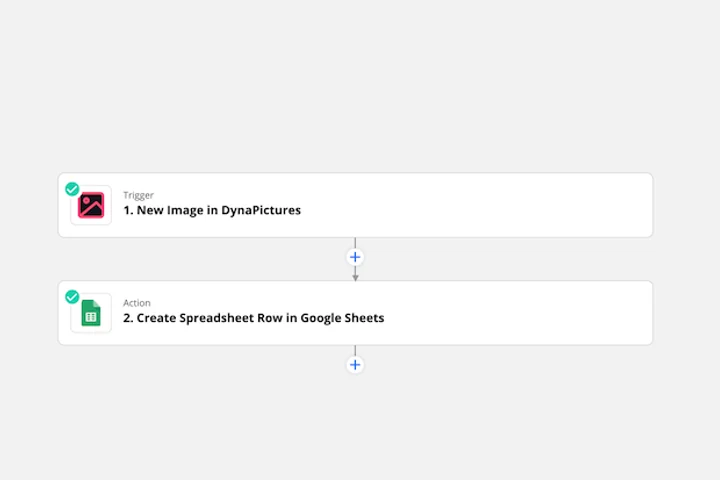
Conference and staff badges keep changing until the doors open, as people register late, switch roles or send a better photo. With Zapier, Make, Pabbly or Integrately, each new entry in your form or registration app starts a render in DynaPictures, and face detection keeps every headshot centered in its frame.
- Zapier integration, plus Make, Pabbly and Integrately
- Face detection centers every headshot
- A PNG or print PDF per badge
Badge maker at a glance
- Price: free, no login, no watermark
- Daily limit: 20 downloads per visitor, where a PNG or a ZIP of up to 10 badges counts as one, plus 60 live previews; resets at midnight UTC
- Format: portrait 900x1200 px, that is 3x4 inches at 300 DPI, preselected; landscape 1200x900 (4x3 inches) in the size menu
- Fields: name up to 40 characters, role, company and event up to 60 each; any of them can stay empty
- Logo and photo: optional, PNG, JPG or WebP up to 5 MB each; the photo sits in a circle on the right, the logo on the left
- Styles: 4 styles, Corporate preselected, plus Vivid, Dark and Warm, each with your own background, accent and text colors
- Batch: up to 10 people as name | role | company lines, one ZIP of PNGs; the photo is left out, since it belongs to one person
- Files: kept for 24 hours, then deleted
How to make a badge online
Fill in the person and the event
Type the name, role and company, and the event name for the colored band at the top. Leave out what you do not need.
Add a logo and a photo
Upload your logo for the left side and a headshot for the round frame on the right, PNG, JPG or WebP up to 5 MB each. Pick a style and your colors.
Download and print
Save the badge as a 900x1200 PNG and print it at 3x4 inches, set in the print dialog, or paste up to 10 people to get every badge in one ZIP.
Why make badges with this tool
Made for lanyard holders
3x4 inches upright is a common insert size for conference badge holders: print it at that size and it slides straight in.
Photo and logo on every badge
A round headshot on the right and your logo on the left make it easy to put a face to each name.
Names that always fit
A long name shrinks within its line instead of running off the badge, so every badge keeps the same layout.
Four styles, your colors
Corporate, Vivid, Dark or Warm, each with your own background, accent and text colors.
Ten people per batch
Paste name, role and company for up to 10 people and download one ZIP, all in the same design.
Badges for conferences, staff and visitors
The badge is 900x1200 pixels, that is 3x4 inches at 300 DPI, a common size for vertical badge holders and lanyard pouches. Print it at 3x4 inches (set the size in the print dialog), cut along the edges and slide it in; for landscape holders, switch to 1200x900 in the size menu. Use the event line for the conference or company name, the role for Speaker, Staff or Visitor, and add a photo when people should recognize each other. It is a printed name badge, not an ID card: it carries no barcode, chip or security feature.
Free limits
20 downloads and 60 previews per visitor per day, up to 10 badges per ZIP, files kept for 24 hours. The count resets at midnight UTC.
Every attendee with a photo
The daily limit is the same for everyone. DynaPictures renders a badge with its own photo for every row of a registration export, through a spreadsheet, Zapier or the API.
Fields you can leave empty
Name, role, company and event are all optional; an empty field is simply left off the badge.
Frequently asked questions
Yes, with no login and no watermark. Each visitor gets 20 downloads a day, where one PNG or one ZIP of up to 10 badges counts as a download, plus 60 live previews; the count resets at midnight UTC, and the files stay available for 24 hours.